
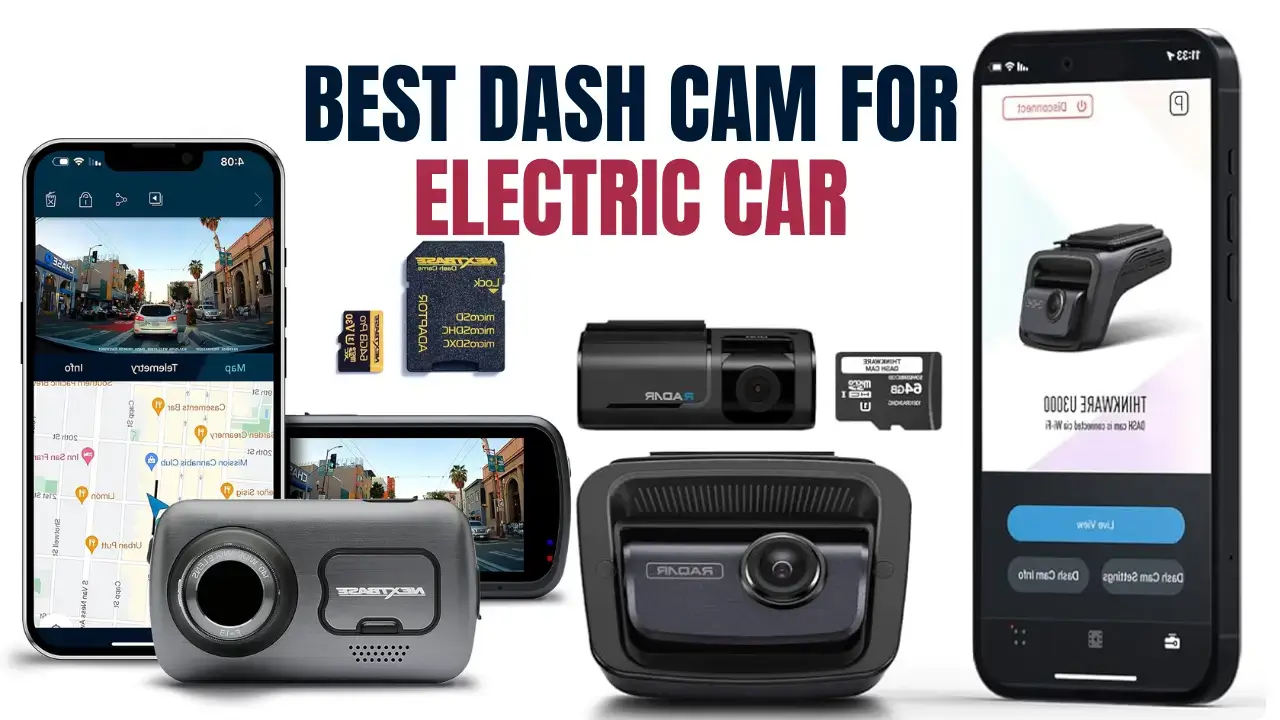
Introduction to Dash Cams for Electric Vehicles
Why Electric Cars Need Dash Cams More Than Ever
Electric vehicles (EVs) are not just a technological advancement in transportation—they’re a shift in the driving experience. From silent operation to advanced driver-assistance systems (ADAS), EVs offer innovations that traditional cars simply don’t. However, they’re also a big investment, and protecting that investment is critical. That’s where dash cams come into play.
Imagine this: You’ve parked your brand-new Tesla Model Y at a public charging station, and while you’re away, a careless driver sideswipes your car and leaves. With no witnesses and no camera footage, your insurance claim becomes a hassle. A dash cam with proper parking mode could’ve saved you the headache. In fact, insurance companies increasingly rely on dash cam footage to process claims quickly and fairly. For EV owners, who often deal with higher repair costs and complex diagnostics, this is essential.
Also, let’s talk theft and vandalism. EVs attract attention, both good and bad. A dash cam acts like your car’s digital bodyguard—watching, recording, and even sending you alerts if something shady happens. The rise of smart dash cams with cloud storage, live view, and GPS tracking offers peace of mind for EV owners whether you’re driving or charging.
But why is this especially important for electric cars? Because they have unique power systems and require different installation strategies compared to traditional cars. We’ll dive deep into this, but know this: not all dash cams are EV-friendly, and choosing the right one could make or break your experience.
Common Misconceptions About EV Dash Cam Compatibility
Let’s clear up a few myths right off the bat. One major misconception is that dash cams are universal, and any model will work flawlessly with electric cars. That’s just not true. EVs, unlike gas-powered vehicles, rely heavily on high-efficiency electrical systems that are tightly integrated and monitored. Plugging in just any dash cam could cause unintended battery drain or interfere with onboard diagnostics.
Another myth? That you can’t install a hardwired dash cam in an EV because it might void the warranty. This is only partially true. While it’s essential to avoid improper installations that might affect sensitive systems, most manufacturers (like Tesla, Hyundai, or Ford) allow professional hardwire installations without affecting the warranty—especially if you use approved fuse taps and power modules.
Some folks also believe that EV batteries are so powerful that they can handle any dash cam without worry. In reality, EVs are designed to maximize every watt. Even a small parasitic drain from a poorly managed dash cam can lead to range loss or extended charging times—especially in extreme temperatures.
Bottom line? Choosing a dash cam for your electric vehicle isn’t about picking the most expensive or feature-rich option. It’s about picking the right one—efficient, safe, and compatible with your car’s unique power system.
Key Features to Look for in a Dash Cam for Electric Car
Power Efficiency and Battery Safety
When selecting a dash cam for an EV, the first thing you need to think about is power efficiency. Unlike traditional cars that rely on a separate 12V battery solely for accessories, many EVs pull accessory power from the main battery system, which is carefully regulated to conserve range.
This means your dash cam needs to be as lean as possible in terms of power draw. Look for dash cams that advertise low power consumption, typically under 400mAh when in parking mode. Advanced models often come with energy-saving features like motion detection triggers and auto shut-off timers to prevent unnecessary drain.
Some dash cams also include supercapacitors instead of lithium-ion batteries, which are safer in extreme weather and have a longer lifespan. Supercapacitors are ideal for EVs because they offer reliable performance without the risk of swelling or battery failure, especially important given the precise thermal management systems in electric vehicles.
Another vital feature is auto cutoff voltage settings. This ensures that if your car’s battery voltage drops below a safe threshold, the dash cam will automatically turn off. This protects your EV’s battery and ensures you’re never stranded with a dead system because your dash cam was recording overnight squirrel activity.
Parking Mode and Battery Drain Concerns
Parking mode is a dash cam feature that records events even when your car is off—perfect for catching hit-and-runs, vandalism, or theft. But in EVs, this feature is a double-edged sword.
Yes, it’s incredibly useful, but if your dash cam lacks proper battery management, it could slowly drain your vehicle’s battery while you sleep. That’s why it’s essential to get a dash cam with smart parking mode. This typically includes:
- Buffered Recording: Saves footage both before and after an impact or motion is detected.
- Motion & Impact Sensors: Activates recording only when necessary, saving power.
- Scheduled Parking Mode: Lets you control the hours when it runs, reducing unnecessary operation.
Some higher-end dash cams also work with dedicated battery packs (like the BlackVue B-130X or Cellink Neo), which provide isolated power for parking mode. This means your dash cam won’t touch your car’s main battery at all—giving you protection without sacrificing range.
Cloud Connectivity and App Integration
Modern dash cams are more than just recorders—they’re smart devices. For EV owners who are already used to connected apps and over-the-air updates, choosing a dash cam with cloud connectivity is a no-brainer.
Look for features like:
- Live Streaming: View your car’s surroundings from anywhere via your phone.
- Push Notifications: Get alerts if your dash cam detects an impact or someone approaches your vehicle.
- GPS & Route Tracking: Review your driving path and incidents with location and speed data.
- Over-the-Air Firmware Updates: Just like your EV, your dash cam should evolve and improve over time.
These features are especially valuable for EVs parked in public charging stations or unattended lots. For example, if your car is hit while charging, a cloud-connected dash cam can instantly notify you and even upload footage to the cloud—so you’re protected even if the camera is damaged or stolen.
Top 5 Dash Cams for Electric Vehicles in 2025
1. BlackVue DR970X-2CH Plus
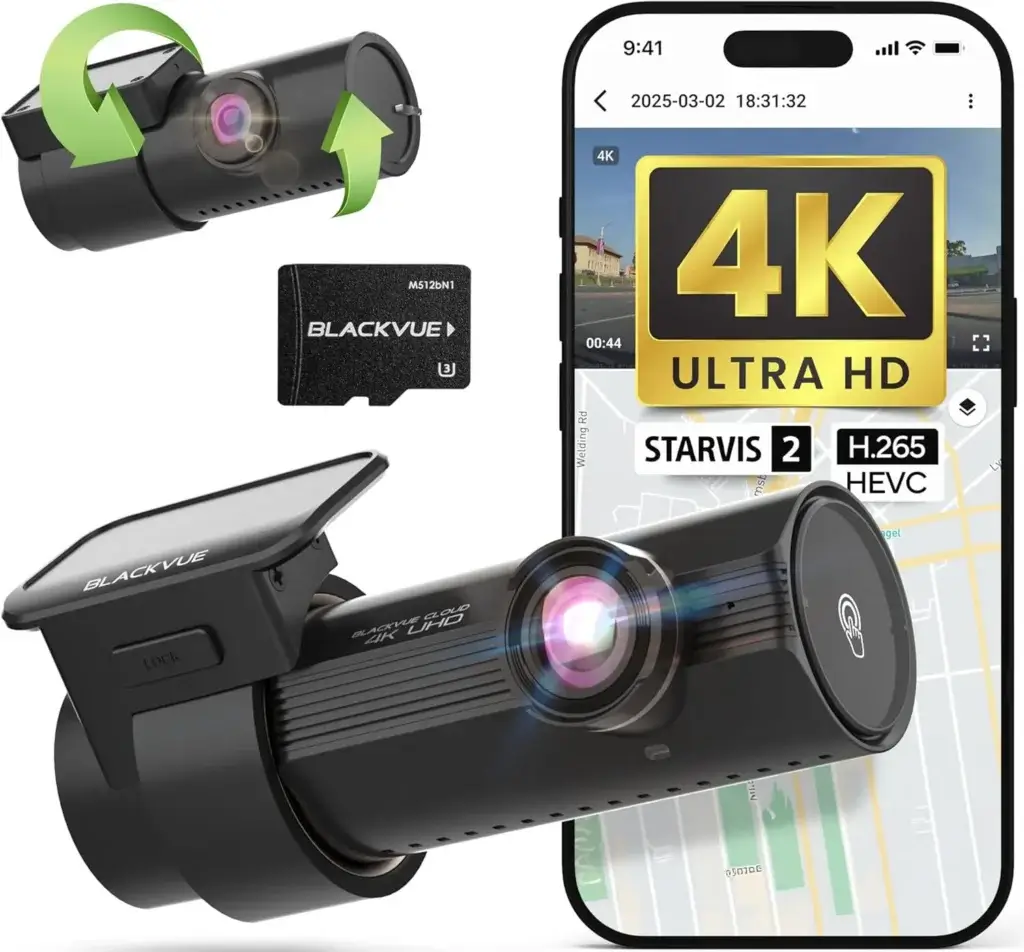
BlackVue DR970X-2CH Plus 64GB | 2-Channel Dash Cam (4K-Full HD), STARVIS 2 Sensor, Parking Mode, Up to 512GB, Easy Setup via App, Wi-Fi, GPS, Cloud Auto Backup
Image Credit: Amazon
Widely regarded as the gold standard for EV owners, the BlackVue DR970X-2CH Plus is a powerhouse of a dash cam. It offers 4K Ultra HD front recording, full HD rear recording, built-in Wi-Fi, GPS, and LTE cloud connectivity (with optional module). Designed with power efficiency in mind, it includes parking mode with low-battery cutoff, making it EV-friendly.
Pros:
- 4K clarity with Sony STARVIS sensor
- Cloud storage and live viewing
- Supercapacitor-based power for heat resistance
- Smart Parking Mode with motion and impact triggers
Cons:
- On the pricier side
- Cloud features require subscription
2. VIOFO A229 Pro Duo
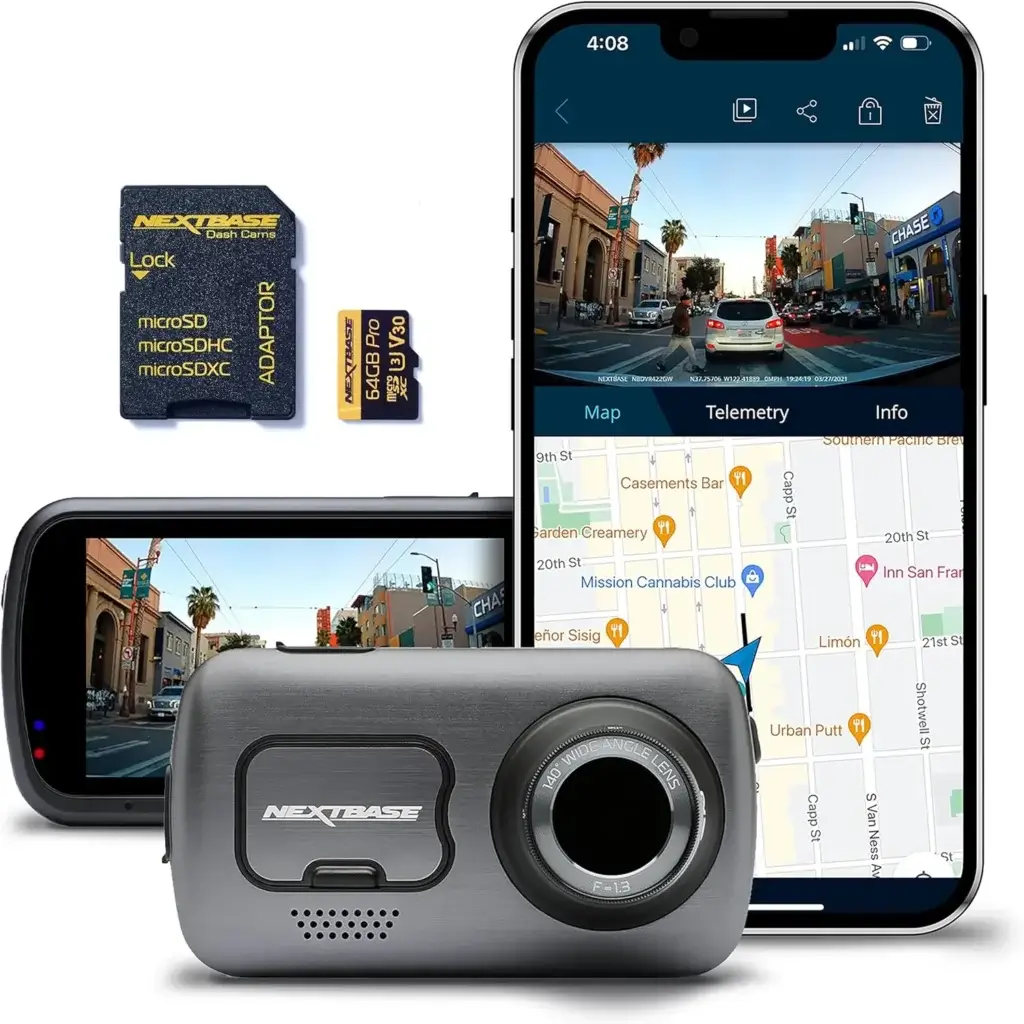
VIOFO A229 Pro 4K HDR Dash Cam, Dual STARVIS 2 IMX678 IMX675, 4K+2K Front and Rear Car Camera, 2 Channel with HDR, Voice Control, 5GHz WiFi GPS, Night Vision 2.0, 24H Parking Mode, Support 512GB Max
Image Credit: Amazon
This dual-channel dash cam delivers premium performance at a mid-range price. With Sony STARVIS 2 sensors on both cameras and a user-friendly interface, it’s perfect for EV owners looking for value and clarity. Plus, it features buffered parking mode, GPS tracking, and voice notifications.
Pros:
- Great image quality day and night
- Reliable parking mode with custom timers
- Excellent app support
Cons:
- Slightly bulkier than some other models
- No cloud connectivity
3. Garmin Dash Cam Live
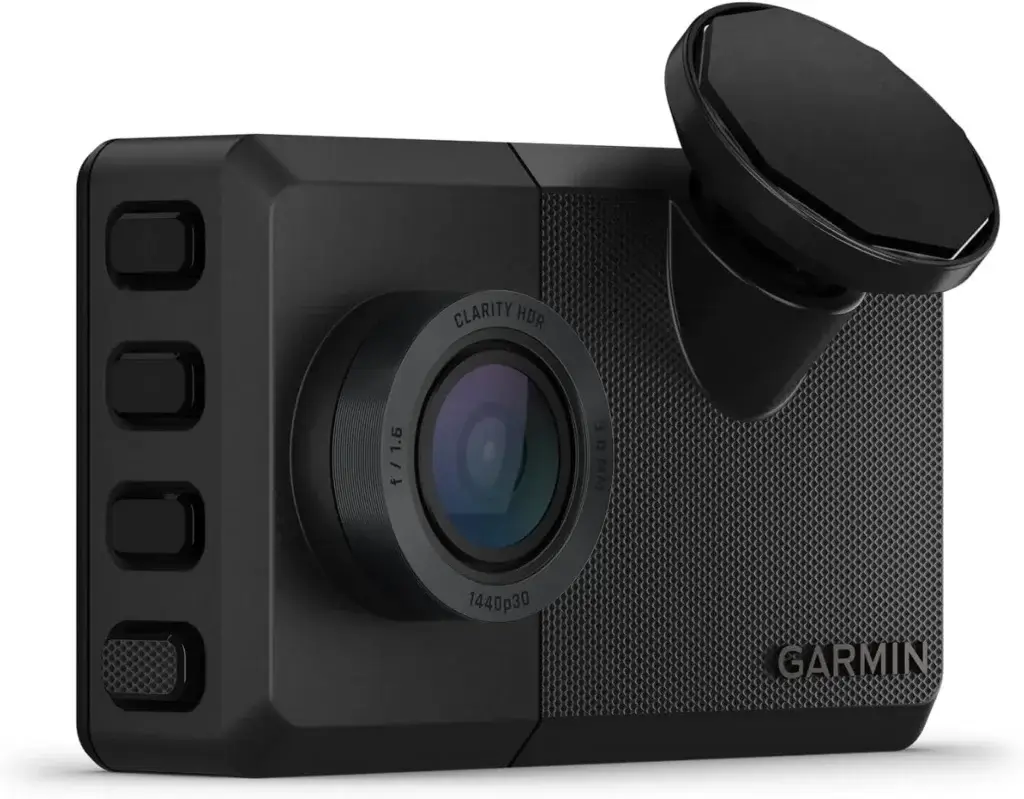
Garmin Dash Cam Live, 24/7 Live View, Always-Connected Dash Cam
Image Credit: Amazon
If you’re looking for a dash cam that integrates perfectly into your connected lifestyle, the Garmin Dash Cam Live is your go-to. Designed for tech-savvy EV owners, this camera connects via LTE, letting you stream live video, receive alerts, and access footage from anywhere. It also includes automatic cloud storage and GPS tracking—great for fleet owners or Tesla drivers who love remote control features.
It’s powered by a supercapacitor for added reliability and has an intuitive mobile app interface that’s second to none. Though it’s on the premium side price-wise, its convenience and peace of mind are worth the cost.
Pros:
- Real-time streaming and notifications via LTE
- Compact, discreet design
- Excellent video clarity with HDR
- GPS and voice control integration
Cons:
- Monthly LTE subscription required
- Limited manual control settings
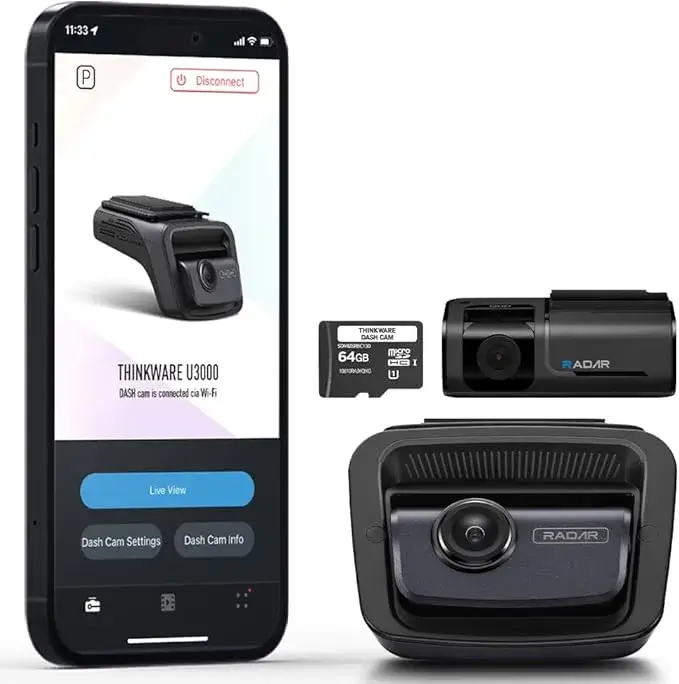
4. Thinkware U3000
Nextbase 622GW Dash Cam with 64GB Micro SD Memory Card Bundle – Dash Cam with True 4K 30fps UHD Automatic Recording, Wi-Fi, GPS, Bluetooth, Alexa, Image Stabilization, Parking Mode
Image Credit: Amazon
The Thinkware U3000 is a futuristic beast, boasting Sony STARVIS 2 image sensors, radar-based parking mode, and AI-driven impact detection. What sets this camera apart is its power management system—optimized for minimal battery consumption, ideal for EVs.
Radar detection reduces false triggers during parking mode, and the AI helps avoid unnecessary footage uploads. It’s also compatible with Thinkware’s external battery packs and comes with optional cloud access.
Pros:
- Ultra-low power parking mode
- Radar-based motion detection
- Premium video quality and AI features
Cons:
- Requires external LTE module for cloud features
- Slightly complex setup for beginners
5. Nextbase 622GW
Nextbase 622GW Dash Cam with 64GB Micro SD Memory Card Bundle – Dash Cam with True 4K 30fps UHD Automatic Recording, Wi-Fi, GPS, Bluetooth, Alexa, Image Stabilization, Parking Mode
Image Credit: Amazon
British-made and packed with safety tech, the Nextbase 622GW is another excellent option for electric vehicle drivers. It features 4K recording, Alexa voice control, Emergency SOS response, and what they call “Intelligent Parking Mode.”
The Emergency SOS feature is especially useful—it detects crashes and alerts emergency services with your GPS location. For EV owners who prioritize safety, that’s a major win.
Pros:
- Alexa and smart home integration
- Crash detection with emergency alerts
- High-resolution recording
Cons:
- Requires GPS module and compatible accessories
- App could use UI improvements
How to Install a Dash Cam in Your Electric Vehicle
Hardwiring vs. Plug-and-Play Options
Now that you’ve chosen your ideal dash cam, it’s time to install it. You’ve got two main paths: plug-and-play or hardwiring. Both come with pros and cons, especially when you’re dealing with an electric car.
Plug-and-Play options use your vehicle’s 12V outlet (aka the cigarette lighter). These are the easiest to install and remove but come with limitations:
- They stop recording when the vehicle is off (no parking mode).
- They can clutter your dashboard with visible wires.
- In some EVs, 12V outlets lose power when the car is off.
Hardwiring, on the other hand, connects the dash cam directly to your fuse box. This allows for:
- Full parking mode functionality
- Cleaner installation with hidden wires
- Auto shutdown features when voltage drops
For EVs, hardwiring is often the better choice—but only if done correctly. It’s crucial to use an EV-safe hardwire kit that includes a voltage cut-off and fuse tap. This prevents the dash cam from pulling too much current from your battery when the vehicle is parked.
Pro tip: Avoid DIY installations unless you’re experienced. Improper hardwiring can mess with your EV’s sensitive electronic systems. A professional install is usually less than $100 and ensures warranty-safe setup.
Importance of Using EV-Compatible Fuse Taps
Fuse taps let you connect your dash cam to the fuse box without cutting or splicing any wires. But not all fuse taps are made equal. For electric vehicles, you want:
- Low-profile mini fuse taps, as these fit the smaller, more compact fuse boxes in EVs.
- A clean, ignition-switched fuse to avoid constant power draw when the car is off.
- Compatibility with your car’s specific fuse type (consult your owner’s manual).
Incorrectly tapping into a fuse can lead to power failure, electrical interference, or damage to your EV’s onboard systems. Don’t guess—use a multimeter or wiring diagram to find the right fuse. Or better yet, let a pro do it.
Power Management: Avoiding Phantom Drain in EVs
How Dash Cams Affect EV Battery Life
One of the biggest concerns EV owners face when adding a dash cam is phantom drain—a slow battery depletion caused by parasitic devices running in the background, like your camera. Unlike gas-powered cars with separate starter batteries, EVs rely on a single energy source for everything.
A poorly configured dash cam can quietly sap energy from your EV, leading to:
- Reduced range
- Slower charging
- Even total battery depletion if parked for days
So how much power does a dash cam really consume? On average:
- Idle Mode: ~50mAh
- Active Parking Mode (with motion detection): ~200–350mAh
- Cloud-connected parking (always-on LTE): ~400–600mAh
Over 12 hours, this can eat a meaningful chunk of battery if left unchecked—especially in winter.
Smart Solutions to Minimize Battery Usage
Luckily, you can enjoy dash cam security without draining your EV by making smart choices:
- Use a Dedicated Dash Cam Battery Pack: Devices like the Cellink Neo or BlackVue B-130X recharge while driving and power your dash cam independently when parked.
- Enable Voltage Cut-Off Settings: These prevent your dash cam from operating below a set battery level (e.g., 12V or 12.2V).
- Schedule Parking Mode: Set times for active recording (e.g., overnight), and disable during the day if parked in a safe location.
- Limit Cloud Sync Frequency: Some apps let you reduce sync intervals to once per hour instead of real-time to conserve energy.
Installing a dash cam isn’t just about picking the right model—it’s about managing its impact on your EV. With the right setup, you’ll never worry about being caught off guard or stranded with a drained battery.
Cloud Features and Emergency Alerts
Remote Access and Live View
Today’s premium dash cams go far beyond local video storage. Cloud features give EV owners the power to monitor their car from anywhere in the world, in real-time.
Let’s say your car is charging in a downtown garage and someone walks too close. Your dash cam’s motion sensor kicks in, sends an alert to your phone, and you open a live view through the mobile app. That’s peace of mind you can’t put a price on.
These features are especially useful if:
- You park in public places often
- You travel and leave your car unattended
- You manage a fleet of EVs
Impact and Theft Notifications
The most advanced dash cams not only detect motion but also distinguish between types of events, such as:
- A collision or door ding
- Someone breaking in
- Someone loitering near the vehicle
Some models, like the BlackVue DR970X or Garmin Dash Cam Live, can send push notifications, emails, or SMS alerts depending on the severity of the impact. This real-time reporting helps you:
- Document incidents quickly
- Retrieve footage before it’s overwritten
- Notify authorities or your insurance company faster
Cloud storage also means footage is safe even if the camera is damaged or stolen—a huge win for security.
Continue Generating?
Continuing with the next sections (Headings 11 to Conclusion, approx. 1,200+ words):
Legal Considerations When Using Dash Cams
Laws Vary by Region
Before you mount that new dash cam on your windshield and start recording every drive, it’s essential to understand the legal landscape. Dash cam laws differ from country to country—and even from state to state. In some regions, recording video is perfectly fine, but recording audio without the other person’s consent may land you in legal trouble.
For example:
- In the United States, most states allow video recording in public places, but 11 states (like California, Florida, and Illinois) have two-party consent laws for audio.
- In the UK, dash cams are widely legal, but you must disable audio recording in private areas to avoid violating GDPR regulations.
- In Canada, the use of dash cams is legal, but you must not obstruct the driver’s view—placing your cam in the wrong spot could earn you a ticket.
Also, be careful about where you upload or share your footage. Posting dash cam videos online without blurring faces or license plates can infringe on someone’s privacy and open you up to lawsuits.
Best practice? Always check your local laws, and disable audio recording unless you have clear consent. Make sure your dash cam is mounted behind the rearview mirror, away from airbag sensors, and doesn’t block your visibility.
Privacy and Recording Laws in Public vs. Private Property
Public spaces are generally fair game for recording video, but private property is another story. Recording in someone’s driveway, a private parking lot, or even inside a gated apartment complex without consent could violate local surveillance or trespassing laws.
If your dash cam’s parking mode kicks in and records someone on private property, you could be violating:
- Privacy laws, especially if the person had a reasonable expectation of privacy
- Trespassing laws, if footage was obtained unlawfully
- GDPR or CCPA, if you’re in a region with strict data protection acts
It’s wise to limit the angle of your rear camera, especially if you live in apartments or park near homes. Use privacy settings to blur or crop footage when needed, especially before sharing online.
Night Vision and Low-Light Performance
How EV Dash Cams Handle Night Driving
Most EVs are silent, making night driving eerily quiet—and sometimes risky. That’s why night vision in a dash cam is more than a luxury; it’s essential. But not all dash cams are built the same when the sun goes down.
EV dash cams need to handle:
- Low-light roads with no streetlights
- Glare from LED headlights
- Urban noise like reflections and shadows
The best dash cams use Sony STARVIS sensors, which are specifically designed for low-light environments. These sensors increase light sensitivity and provide sharper detail, helping your footage stay clear even in near-total darkness.
You’ll also want to look for f/1.6 to f/1.8 aperture lenses, which allow more light into the sensor and significantly improve visibility in dim settings. Cameras like the Thinkware U3000 and VIOFO A229 Pro Duo excel in this area, capturing both details and license plates even in dark alleys or on rural roads.
Infrared vs. Wide Dynamic Range (WDR)
Dash cams use two major technologies to enhance night recording:
- Infrared (IR):
- Ideal for cabin recording (e.g., rideshare drivers)
- Works great in pitch black environments
- Not suitable for capturing scenes through glass (IR reflects)
- Wide Dynamic Range (WDR):
- Balances exposure in mixed lighting (e.g., headlights + shadows)
- Great for front and rear cams
- Ensures visibility of license plates, road signs, and pedestrians
For EV owners, WDR is typically better, especially for external use. It handles those sudden changes in brightness when you drive past streetlights or enter tunnels, giving you clear, usable footage.
Dash Cam Accessories Every EV Owner Needs
Polarizing Filters and SD Cards
You’ve got the dash cam, but don’t overlook the accessories—they make a huge difference in performance and longevity.
- CPL (Circular Polarizing Lens) Filter: This small filter screws onto your dash cam lens and reduces glare from the dashboard and windshield. It’s like sunglasses for your dash cam, making daytime footage cleaner and clearer.
- High-Endurance MicroSD Cards: Dash cams write a ton of data, especially in parking mode. Cheap cards will fail fast. Look for cards rated as “high endurance” or “industrial grade,” such as:
- Samsung PRO Endurance
- SanDisk High Endurance
- Kingston High Endurance
- Heat-Resistant Mounts: Some EVs like Teslas get extremely hot inside, even with cabin overheat protection. Use a 3M adhesive mount rated for high temps, and avoid suction cups—they tend to fail in extreme weather.
Battery Packs and Power Management Devices
To prevent phantom drain or constant wiring hassles, EV owners should invest in a dedicated battery pack or power management unit. Here are the top options:
- BlackVue B-130X: Offers up to 30 hours of parking mode without tapping into your EV’s main battery.
- Cellink Neo 6 or Neo 8+: Recharge in under 40 minutes and provide long-lasting, stable power.
- Power Magic Pro (Thinkware): Monitors voltage and shuts off the cam at pre-set levels.
Pairing your dash cam with these accessories gives you full functionality without the worry of running down your car’s battery—or voiding your warranty.
FAQs About Dash Cams for Electric Vehicles
Q1: Can a dash cam drain my EV’s battery when parked?
Yes, especially if the dash cam runs in parking mode 24/7 without a dedicated battery pack or smart voltage cut-off system. It’s best to configure it with a parking timer or use a separate power pack.
Q2: Will installing a dash cam void my EV’s warranty?
No, as long as it’s installed professionally and doesn’t interfere with essential systems. Using a hardwire kit approved by your EV manufacturer helps avoid any issues.
Q3: What’s the best dash cam with cloud access for my Tesla or Rivian?
The BlackVue DR970X and Garmin Dash Cam Live are top picks. Both offer LTE connectivity, remote access, and cloud storage.
Q4: Can I install a rear dash cam on a hatchback EV?
Yes. Most dual-channel dash cams come with long cables for routing through hatchbacks. Be careful when installing around the weather seal to avoid water leaks.
Q5: Do I really need 4K video quality?
4K helps capture small details like license plates and road signs. It’s not essential, but it’s a great upgrade if you park in risky areas or drive at night often.
Conclusion
Choosing the best dash cam for your electric car is more than a matter of picking the highest-resolution camera—it’s about balancing performance, battery efficiency, and smart features tailored to how EVs work. With vehicles becoming more connected, silent, and intelligent, it only makes sense to protect them with an equally smart dash cam.
From low power draw to LTE cloud access and advanced parking modes, today’s dash cams offer more than just video—they offer confidence. Whether you’re protecting your Tesla from vandals, documenting long road trips in your Rivian, or monitoring your Bolt while it charges downtown, the right dash cam makes all the difference.
So, don’t settle. Invest in a camera system that works with your EV, not against it.