
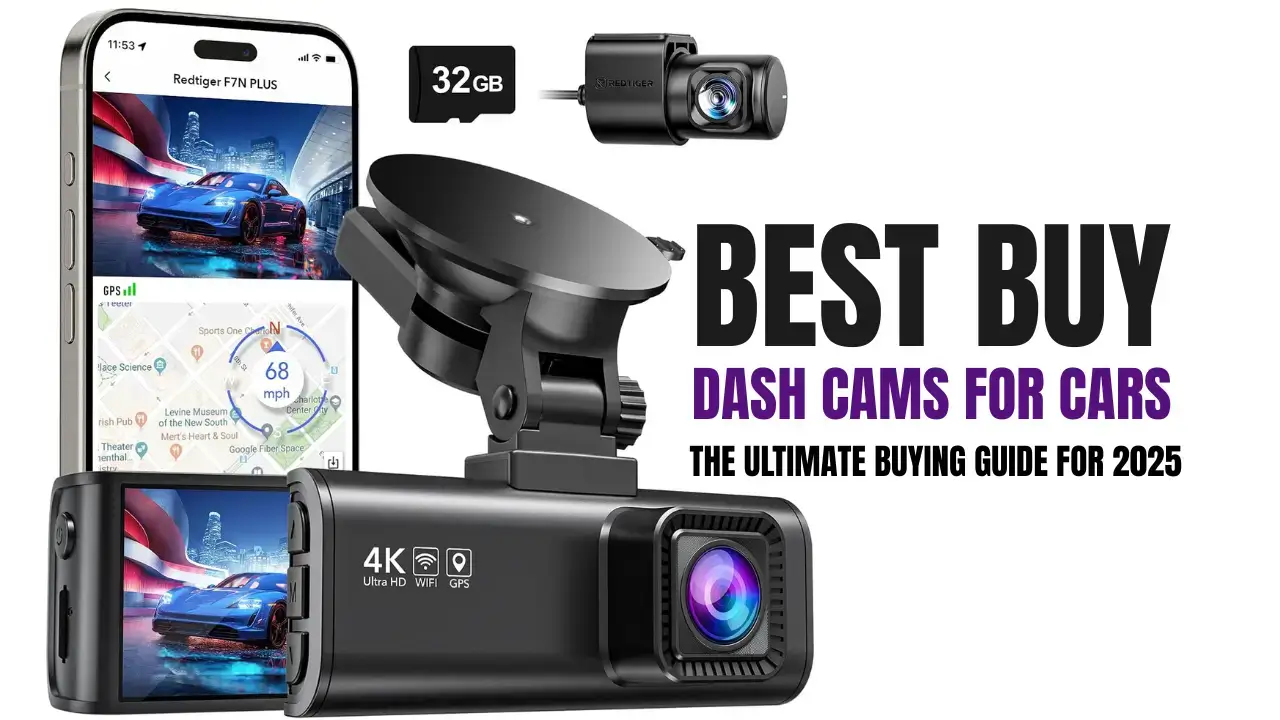
Introduction to Dash Cams
What is a Dash Cam?
A dash cam, short for dashboard camera, is a small video recording device that’s mounted inside your car—typically on the windshield or dashboard. It’s designed to continuously record the view through your vehicle’s front windshield, and often the rear and cabin, too. These cameras come in all shapes and sizes, ranging from compact units with basic recording capabilities to feature-rich models that include GPS tracking, voice control, Wi-Fi, and even artificial intelligence.
But at its core, a dash cam’s main purpose is simple: to document everything that happens on the road. Whether you’re driving to work, going on a road trip, or simply parked on the street, dash cams offer an impartial, consistent eyewitness that could prove invaluable in case of accidents, theft, or disputes.
With advancements in camera technology and declining prices, dash cams have gone from a luxury gadget to an essential accessory for millions of drivers worldwide. Today’s dash cams aren’t just for truckers or cab drivers—they’re for everyday commuters, parents, young drivers, and anyone who values security and peace of mind on the road.
Some modern dash cams even come equipped with AI-powered lane detection, impact alerts sent to your phone, and seamless cloud storage. This transformation has made dash cams smarter, more reliable, and easier to use than ever before.
In 2025, if you drive a car—even occasionally—you owe it to yourself to have a quality dash cam installed. It’s one of the smartest automotive decisions you can make.
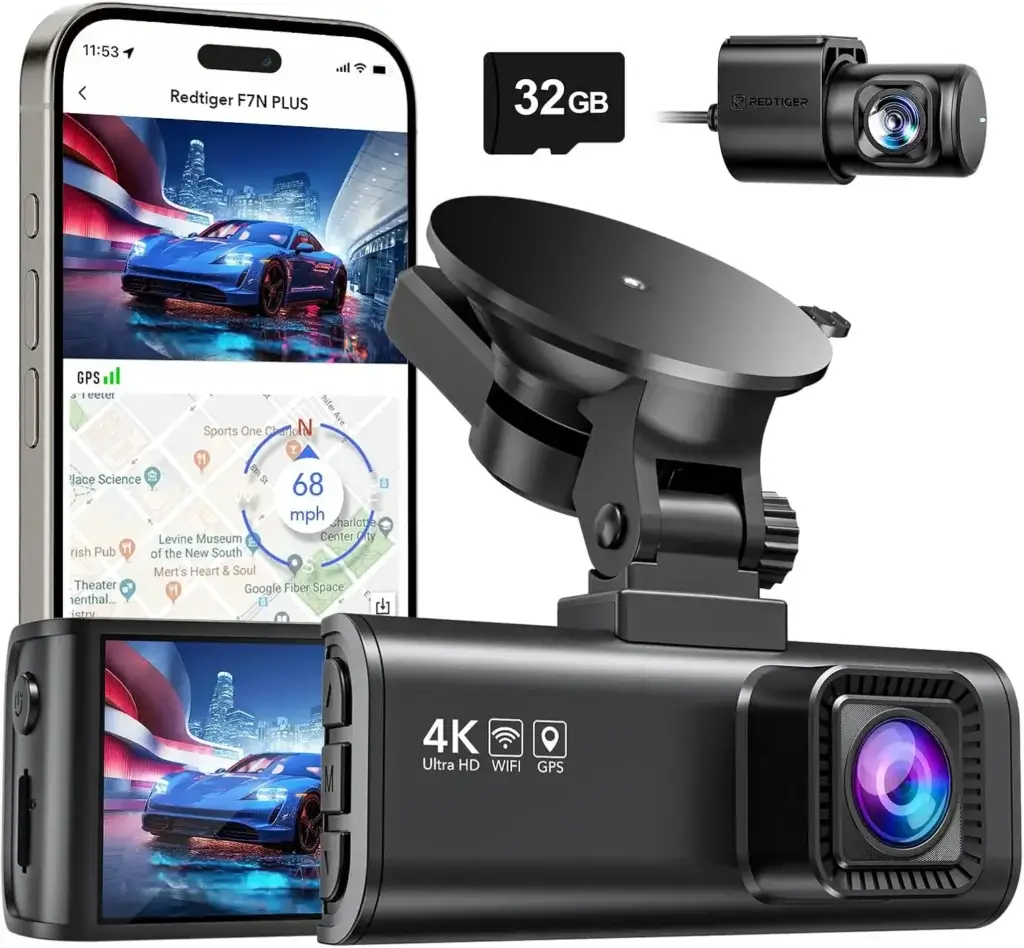
REDTIGER Dash Cam Front Rear, 4K/2.5K Full HD Dash Camera for Cars, Included 32GB Card, Built-in Wi-Fi GPS, 3.16” IPS Screen, Night Vision, 170°Wide Angle, WDR, 24H Parking Mode(F7NP)
Image Source: Amazon
Why Every Driver Needs One in 2025
If you’ve ever been involved in a “he said, she said” scenario after an accident, you already know how valuable clear video footage can be. A dash cam can protect you from fraudulent claims, expedite insurance processing, and even get you out of traffic tickets. But the benefits go well beyond just accident protection.
Here’s why every driver should consider a dash cam in 2025:
- Accident Evidence: Instantly provides proof in case of collisions, protecting you from false claims and helping speed up insurance decisions.
- Parking Surveillance: Many modern dash cams monitor your vehicle even when it’s off, offering protection from hit-and-runs and vandalism.
- Teen Driver Monitoring: Want to keep an eye on your teen’s driving habits? Dash cams can provide insight and peace of mind.
- Road Trip Memories: Some drivers use dash cams to record scenic drives or memorable travel moments.
- Insurance Discounts: Certain insurance companies offer discounts if your vehicle is equipped with a working dash cam.
As vehicle-related crime and road rage incidents become more common, dash cams act like an insurance policy against the unexpected. With AI detection and motion sensors, your dash cam doesn’t sleep—even when your car is parked in a remote lot at night.
Ultimately, a dash cam is like having a silent witness who never blinks. Whether you’re driving across town or across the country, it’s always watching, always recording, and always ready to protect you.
Top Factors to Consider Before Buying a Dash Cam
Video Quality and Resolution
When it comes to dash cams, video quality is everything. The difference between identifying a license plate and having a blurry, useless recording could be the resolution of your camera.
Today’s top-tier dash cams typically offer 1080p (Full HD) as a minimum, but many now feature 2K (1440p) or even 4K Ultra HD recording for crisper and more detailed footage. While higher resolutions offer better video clarity, they also consume more storage space and may require faster, higher-capacity microSD cards.
Here are some practical resolution tips:
- 1080p (Full HD): Ideal for daily driving and budget models. It captures decent detail but may struggle with plates at high speeds.
- 1440p (2K): A great middle ground—sharper than 1080p without the file size of 4K.
- 2160p (4K): Perfect for capturing minute details, such as license plates in low light or fast-moving traffic. Best for fleet vehicles or rideshare drivers.
But resolution isn’t the only aspect of video quality. Look for dash cams with high frame rates (30-60fps), wide dynamic range (WDR), and HDR imaging for better clarity in varied lighting conditions. These features enhance footage taken in bright daylight, dim evenings, and even tunnels.
Keep in mind, though, that a high-resolution dash cam with poor lens quality won’t do you much good. You want a camera that not only records at high resolution but does so with a wide, clear, and stable image.
Field of View and Lens Quality
A wider field of view (FOV) allows a dash cam to capture more of the road and surroundings. This is especially useful in case of side impacts, multi-vehicle collisions, or incidents at intersections.
- Standard FOV (100°–120°): Captures just the road ahead. Good for basic recording.
- Wide FOV (140°–160°): Offers a balanced view of the road and surroundings without too much distortion.
- Ultra-Wide FOV (170°+): Great for full scene coverage but may introduce fisheye distortion at the edges.
More isn’t always better. Excessively wide angles may distort footage, especially near the edges, making it harder to read license plates or signs. The sweet spot for most users is between 140° and 160°—wide enough to capture side lanes without compromising detail.
Equally important is the lens quality. Look for dash cams with multi-glass lenses, wide aperture (like f/1.6 – f/2.0), and anti-glare coatings. These features help in low light, reduce glare from headlights, and improve overall image clarity.
Bottom line? Resolution and lens quality go hand-in-hand. Don’t skimp on either if you want reliable footage when it counts.

ROVE R3 Dash Cam Front and Rear with Cabin, 3” IPS Touch Screen, 3 Channel Dash Cam 1440P+1080P+1080P, IR Night Vision, 5GHz WiFi, Up to 30MB/s Download Speed, Quad-Mode GPS, Supports 512GB Max
Image Source: Amazon
Storage and Loop Recording Features
Storage is another essential factor when buying a dash cam. These devices record continuously, meaning the storage can fill up fast—especially if you’re shooting in 2K or 4K.
Loop recording ensures that the camera overwrites the oldest footage automatically when the storage is full, so it’s always recording. Look for cameras that allow you to customize the loop intervals—typically 1, 3, or 5 minutes.
For storage, here are a few quick tips:
- Minimum 32GB microSD: Enough for casual drivers with 1080p resolution.
- 64GB–128GB microSD: Recommended for daily drivers and those using 2K/4K recording.
- 256GB+: Best for dual-channel cameras or long road trips.
Be sure your dash cam supports Class 10 UHS-I/UHS-II cards for optimal recording speeds. Some premium models offer cloud storage, letting you offload important clips to the internet without needing to touch the memory card.
Many cameras also feature emergency file locking, which saves a clip automatically during impacts or manual triggers so it won’t be overwritten. Make sure that feature is present—especially if you’re driving in high-risk areas.
GPS and G-Sensor Integration
Integrated GPS allows your dash cam to track your vehicle’s location, speed, and route in real time. This data can be incredibly useful for insurance claims, fleet tracking, or defending yourself against false allegations.
Benefits of GPS in dash cams:
- Pinpoints exact accident location
- Logs your driving speed
- Provides trip data and route maps
Meanwhile, a G-sensor (gyroscope or accelerometer) detects sudden movements like hard braking, collisions, or swerving. When it senses an impact, it automatically marks and saves the current video segment as an “event” file, preventing it from being overwritten.
Combined, GPS and G-sensor features turn your dash cam into a full-on driving recorder. They offer proof not just of what happened, but where and how it happened—crucial data in legal disputes or insurance investigations.
Best Buy Dash Cams for Cars in 2025
Best Overall Dash Cam – Garmin Dash Cam 67W

Garmin Dash Cam 67W, 1440p, 180-degree FOV, Remotely Monitor Your Vehicle and Signature Series Cloth
Image Source: Amazon
The Garmin Dash Cam 67W earns its spot as the best overall dash cam in 2025 for a simple reason: it does everything exceptionally well. With its wide 180-degree field of view, compact build, crystal-clear video recording, and intelligent features, it’s a near-perfect companion for everyday drivers and road warriors alike.
Here’s what makes it a standout:
- 2K QHD Video (1440p): Crisp video resolution with HDR captures fine details even in challenging lighting.
- Voice Control: Hands-free operation is a lifesaver. Just say “OK Garmin, save video,” and it locks the clip instantly.
- Built-in GPS: Tracks your location, speed, and route—great for evidence in case of a crash.
- Automatic Incident Detection: G-sensor locks footage during sudden impacts.
- Cloud Access: Pair with the Garmin Drive app to automatically sync footage to the cloud.
- Parking Mode: Offers vehicle surveillance when parked, detecting motion and collisions.
Its compact size makes it virtually invisible behind the rearview mirror, which is ideal for aesthetic and anti-theft purposes. It also comes with driver alerts for lane departure and forward collisions, acting as a mini co-pilot on long drives.
If you want a blend of reliability, features, and quality from a trusted brand, this is the one to beat.
Grab this product now — Click here to order!
Best Budget Dash Cam – Nexar Beam GPS Dash Cam
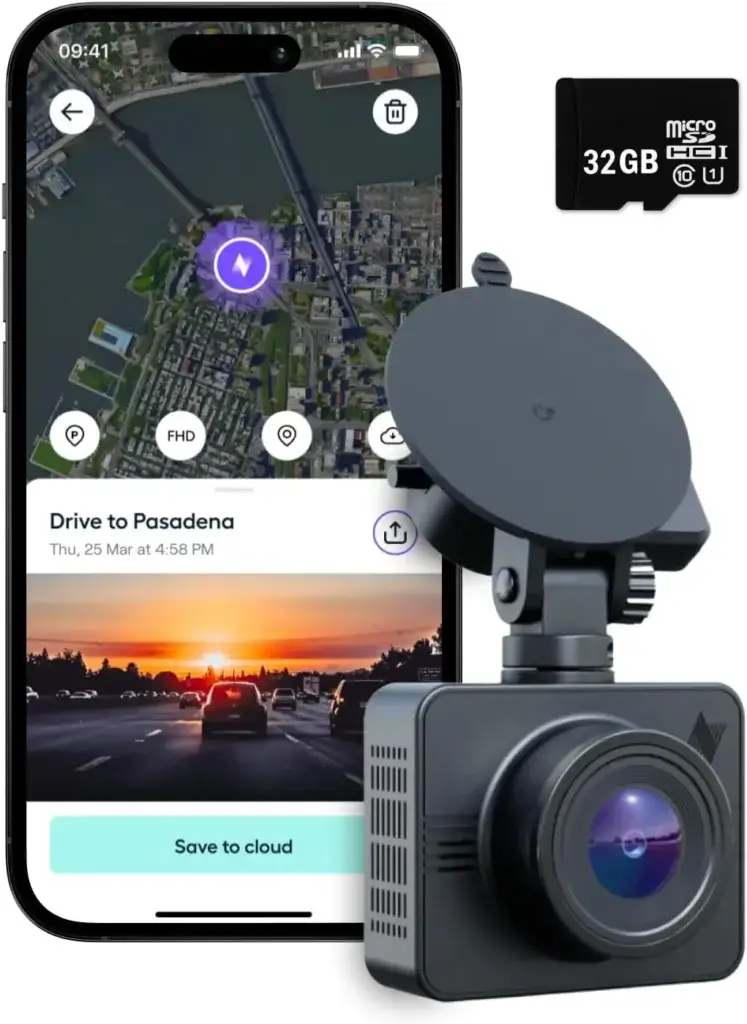
Nexar Beam GPS Dash Cam – Dash Camera for Cars with 32GB SD Card Included Unlimited Cloud Storage 24H Parking Mode Dash Cam for Cars. Wireless Car Camera with 1-Year Nexar Classic App Subscription
Image Source: Amazon
Looking for top-tier performance on a budget? The Nexar Beam hits the sweet spot with affordability and intelligence. This minimalist yet powerful dash cam connects directly to your smartphone, offering a clean interface without the need for a screen.
Why it’s a budget favorite:
- 1080p Full HD Recording: Delivers clear, balanced footage with decent night performance.
- Internal GPS: Logs your routes and driving speed.
- App-Based Cloud Storage: Unlimited free cloud backup when paired with the Nexar app.
- Emergency Alerts: Sends notifications and footage to designated contacts in case of accidents.
- Lightweight and Easy to Install: Perfect for drivers who want something discreet and simple.
Unlike many budget cams, the Nexar Beam is packed with smart tech. It records to both your phone and internal storage, ensuring redundancy. While it lacks 4K or dual-channel support, it’s the best value under $100 for urban drivers, rideshare operators, and budget-conscious users.
Don’t wait, buy this product now by clicking here!
Best Dual Dash Cam – Vantrue N4
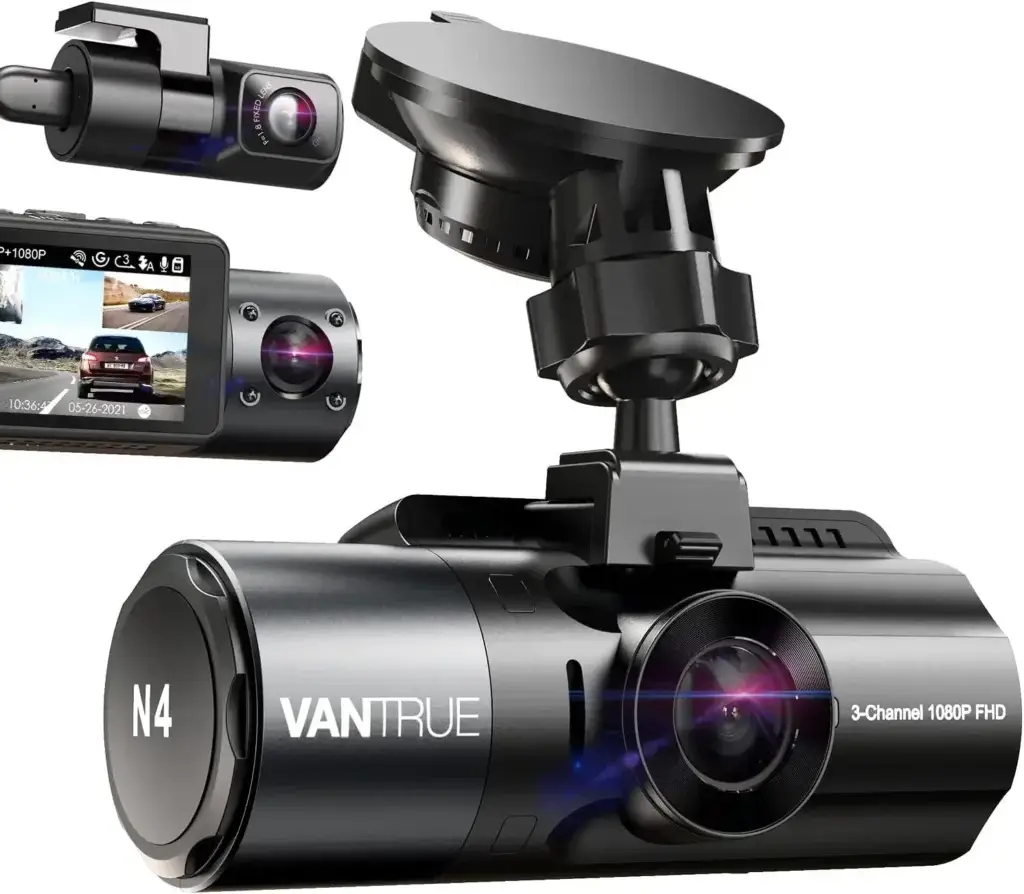
VANTRUE N4 3 Channel Dash Cam, 4K+1080P Dual Channel, 1440P+1440P+1080P Front Inside Rear Three Way Triple Car Dash Camera, IR Night Vision, Capacitor, 24 Hours Parking Mode, Support 256GB Max
Image Source: Amazon
The Vantrue N4 stands out for its powerful triple-channel recording system. That’s right—it captures the front, rear, and interior views all at once, making it the go-to dash cam for rideshare drivers, taxi services, or parents keeping tabs on teenage drivers.
Here’s what makes it elite:
- Three Cameras in One: Records front (1440p), rear (1080p), and cabin (1080p) simultaneously.
- Infrared Cabin Camera: Ideal for low-light or night driving inside the car.
- Parking Mode with Motion Detection: Protects your vehicle 24/7.
- Heat-Resistant Design: Operates in extreme temperatures—a must for hot climates.
- Optional GPS Mount: Enables speed and location tracking.
The footage quality is stellar, even in pitch-black conditions, thanks to its Sony STARVIS sensors. While it’s more expensive and bulkier than other options, the N4’s comprehensive coverage is unmatched.
For Uber, Lyft, or commercial drivers, it’s a must-have tool to ensure transparency and safety.
Shop Now – Click to Order Instantly
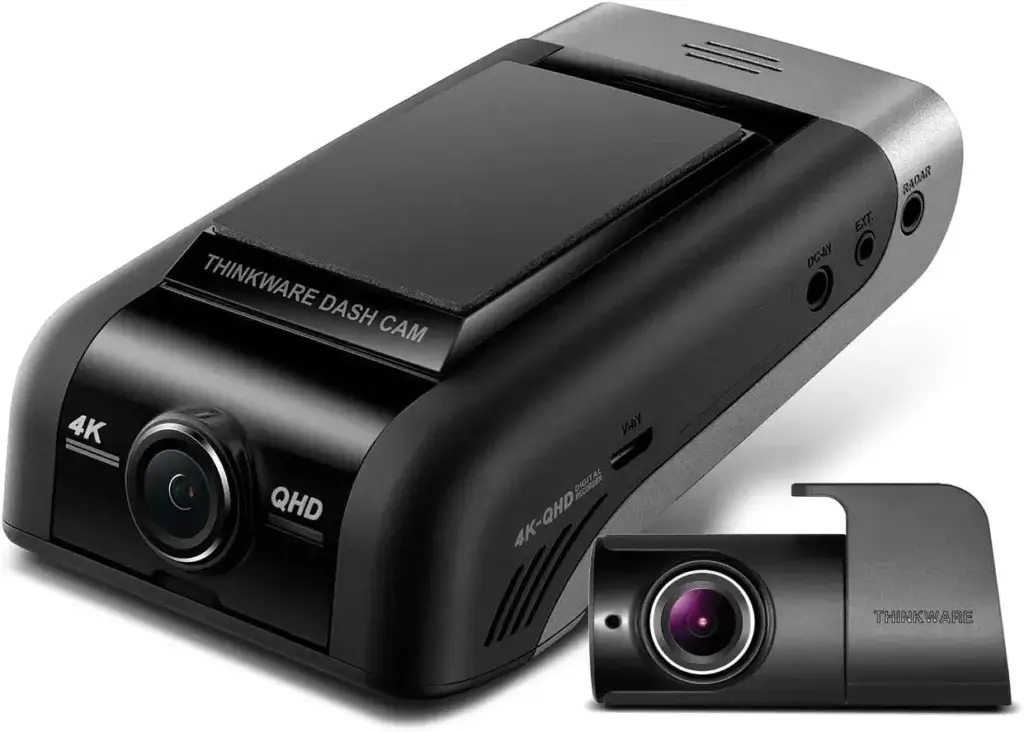
Best for Night Vision – Thinkware U1000
Garmin Dash Cam 67W, 1440p, 180-degree FOV, Remotely Monitor Your Vehicle and Signature Series Cloth
Image Source: Amazon
Driving frequently at night or in poorly lit areas? The Thinkware U1000 is built just for you. Featuring 4K UHD recording and top-of-the-line low-light performance, this dash cam doesn’t miss a single detail—even in near-total darkness.
Top-tier night-time features:
- 4K UHD (3840 x 2160) Front Camera with 2K QHD Rear Camera.
- Super Night Vision 2.0: Enhanced clarity in dark environments using advanced image processing.
- Wide Dynamic Range (WDR): Maintains clear visuals in both bright and dark zones.
- Built-in Wi-Fi & GPS: Access your videos and driving data remotely.
- ADAS Features: Lane departure, front collision warnings, and more.
One of the U1000’s most underrated features is its Cloud connectivity, allowing you to receive impact notifications and view your car’s real-time location from anywhere.
Yes, it’s on the pricier side, but for nighttime drivers or those needing ultra-high quality footage, it’s worth every penny.
Click here to Buy This Product Now
Best Compact Dash Cam – VIOFO A119 V3

VIOFO Dash Cam A119 V3 2K 2560x1440P Quad HD+ 60FPS Front Car Dash Camera, 5MP STARVIS Sensor, 140-Degree Wide Angle, GPS Included, Buffered Parking Mode, True HDR, Motion Detection, Time Lapse
Image Source: Amazon
Don’t want a big, bulky cam cluttering your windshield? The VIOFO A119 V3 delivers premium performance in a discreet and compact design. Despite its size, it’s packed with powerful features that rival much larger models.
Here’s what you get:
- 2K QHD (2560x1440p) at 60fps: Smooth, sharp recordings even at highway speeds.
- Sony STARVIS Sensor: Provides excellent day and night performance.
- Buffered Parking Mode: Starts recording before and after a detected event.
- G-Sensor and GPS Module: Logs speed, route, and impact data.
- Minimalist Design: Mounts easily behind the mirror and doesn’t attract attention.
The A119 V3 is a fan favorite for drivers who want a “set it and forget it” dash cam. It doesn’t have cloud features or a touchscreen, but the performance-to-price ratio is unbeatable.
If stealth and reliability are what you’re after, this is your perfect match.
Order Now – Limited Stock Available
Comparing the Best Dash Cams – At a Glance
Table: Feature Comparison of Top 5 Dash Cams
| Feature | Garmin 67W | Nexar Beam | Vantrue N4 | Thinkware U1000 | VIOFO A119 V3 |
|---|---|---|---|---|---|
| Resolution | 1440p (2K) | 1080p (FHD) | 1440p+1080p+1080p | 4K + 2K | 1440p (2K) |
| Field of View | 180° | 135° | 155° | 150° | 140° |
| GPS | Yes | Yes | Optional | Yes | Yes |
| Night Vision | Good | Fair | Excellent | Best-in-class | Very Good |
| Cloud Storage | Yes | Yes (Free) | No | Yes | No |
| Parking Mode | Yes | With hardwire | Yes | Yes | Yes (Buffered) |
| Price Range | $$$ | $ | $$$ | $$$$ | $$ |
| Best For | All-around use | Budget drivers | Rideshare/Fleet | Night drivers | Compact preference |
This quick-glance comparison should help narrow your choice based on your personal needs and driving habits. Whether you prioritize budget, compactness, or ultra-clear footage, there’s a perfect fit in this list.
Advanced Features You Should Look For in Dash Cams
Cloud Connectivity and Remote Access
In 2025, dash cams have moved beyond just being recording devices—they’re now smart, connected, and cloud-enabled. Cloud connectivity allows your dash cam to automatically upload important footage to a secure cloud server, where you can access it remotely via a smartphone app.
This feature is incredibly useful for:
- Remote Viewing: See what your camera sees in real-time.
- Instant Notifications: Get alerts if your parked car is hit or tampered with.
- Automatic Backup: Never worry about losing footage to a corrupted memory card.
- Fleet Monitoring: Perfect for managing multiple vehicles, especially in commercial use.
Some dash cams like the Thinkware U1000 and Nexar Beam offer free or subscription-based cloud services that include video streaming, location tracking, and impact alerts. The Garmin Drive app pairs with Garmin dash cams to let you store and review footage in the cloud as well.
While it’s not mandatory, cloud connectivity gives you extra peace of mind. Even if someone breaks into your car and steals the dash cam, the footage is already safe and backed up.
Voice Control and App Integration
Another futuristic (yet very practical) feature is voice control. This allows you to operate your dash cam without removing your hands from the wheel. Commands like “Save video,” “Turn on audio,” or “Take a photo” can be triggered with your voice—keeping your focus on the road.
Garmin Dash Cam 67W and Nexar Beam are great examples of cameras offering voice control that works efficiently in noisy environments. For those constantly on the move or rideshare drivers juggling multiple tasks, voice operation is a huge convenience.
Beyond voice control, seamless smartphone app integration is key. Most modern dash cams offer a companion app that:
- Lets you download and share videos quickly
- Allows live view streaming
- Enables firmware updates and feature adjustments
- Shows trip history and route tracking
Make sure the app is well-reviewed and compatible with your smartphone OS (iOS or Android). A laggy or buggy app can ruin an otherwise great dash cam experience.
Parking Mode and Motion Detection
Ever worry about your car when it’s parked overnight or in a sketchy lot? That’s where Parking Mode shines. It turns your dash cam into a 24/7 surveillance system—even when the ignition is off.
There are typically two types of Parking Modes:
- Motion Detection Mode: Starts recording when it senses movement around your car.
- Impact Detection Mode: Records only when it detects a vibration or collision.
Some premium models even offer Buffered Parking Mode, which captures footage a few seconds before the detected event, providing context for what caused the impact or motion.
Here’s what you’ll need for Parking Mode to work properly:
- A hardwire kit to power the cam from your car battery.
- A reliable power management system to prevent battery drain.
- A camera that supports low-bitrate or time-lapse recording to save storage.
For city drivers, apartment dwellers, or anyone who parks in public spaces, Parking Mode is a game changer for catching hit-and-runs or break-ins.
Installation Tips for Your New Dash Cam
DIY vs Professional Installation
When it comes to installing a dash cam, you’ve got two options: do it yourself or call in the pros. Both routes have pros and cons depending on the complexity of the camera and your comfort with car electronics.
DIY Installation is perfect for most front-facing dash cams:
- Most cams include adhesive mounts and a long USB power cable.
- Plug into the 12V cigarette lighter or USB port, and you’re up and running.
- Hide the cables using a trim tool and route along the windshield edges and panels.
For dual or triple-channel dash cams, though, things can get tricky:
- Rear cameras may require routing cables through your car’s interior to the back window.
- Hardwiring into your fuse box for Parking Mode can be time-consuming and requires a fuse tap and some electrical know-how.
Professional Installation is ideal if:
- You want a clean, hidden setup with no dangling cables.
- You have a complex vehicle (luxury car, EV, etc.).
- You’re installing a multi-camera or hardwired system.
Yes, it might cost $100–$300 depending on the job, but for a permanent, seamless installation, it’s often worth it—especially for high-end or commercial dash cams.
Hardwiring vs Using the Cigarette Lighter Adapter
Cigarette lighter adapters are the plug-and-play solution most people use. Just mount your dash cam, plug it in, and it starts recording when you turn on the ignition. Easy, right?
Pros of using the adapter:
- No tools or expertise needed.
- Fast, flexible, and portable (you can switch cars easily).
However, this setup won’t allow Parking Mode to function unless your 12V socket is always powered—which many cars don’t offer. Also, having a visible cord dangling can clutter your interior or attract thieves.
That’s where hardwiring kits come in:
- Connects directly to your vehicle’s fuse box.
- Enables Parking Mode and 24/7 recording.
- Hides all wires for a cleaner, more professional look.
Hardwiring does take more effort—or a professional touch—but it unlocks your dash cam’s full potential. Just make sure to get a kit with battery discharge prevention, so you’re not left stranded with a dead battery.
Legal Considerations and Dash Cam Usage
Dash Cam Laws in the U.S. and Other Countries
Using a dash cam is generally legal in most parts of the U.S., Canada, and Europe, but each location has specific rules about placement, recording, and privacy.
Here are some general legal pointers:
- Windshield Obstruction Laws: Many states (like California and New York) have strict laws about placing objects on the windshield. Your dash cam should be mounted in the upper center or lower corners only.
- Audio Recording: Recording conversations inside your car may require consent, depending on your state’s wiretapping laws (e.g., Illinois, Maryland).
- Rear Camera Use: Make sure rear cameras don’t obstruct your view through the rear windshield.
- Public vs Private Recording: While it’s usually okay to record public roads, filming private property or people inside your car without consent can be a legal gray area.
In countries like Germany or Austria, dash cams are legal but heavily regulated due to privacy concerns. Always check local laws before recording, especially if you plan to travel or share footage online.
Privacy Concerns and What You Need to Know
Dash cams capture a lot—inside your vehicle, license plates of others, conversations, pedestrians, and more. With such powerful surveillance comes responsibility.
Key privacy considerations include:
- Inform passengers if your dash cam records audio or the cabin.
- Blur faces or license plates before uploading videos to YouTube or social media.
- Store footage securely—especially if it involves sensitive or personal data.
- Delete old footage if no longer needed, particularly for fleet vehicles or company cars.
As dash cams become more advanced with GPS, voice recording, and cloud storage, privacy concerns will only grow. Use these tools responsibly, and always stay informed about the legal implications of recording others.
Maintaining and Managing Your Dash Cam
How to Store and Backup Your Footage
Once your dash cam is up and running, you’ll want to make sure the footage it captures is both preserved and accessible when you need it. After all, there’s no point in having a dash cam if your files get overwritten or corrupted before you can use them.
Here are the top methods to store and back up your footage:
- Use High-Quality Memory Cards
Always invest in a reliable, high-endurance microSD card from brands like SanDisk, Samsung, or Lexar. Look for:- At least Class 10 or UHS-I/UHS-II
- Endurance-rated cards (designed for constant overwriting)
- Minimum capacity of 64GB for 1080p or 128GB for 4K recording
- Set Up Loop Recording Properly
Loop recording automatically overwrites the oldest files once your card is full. That’s good—but ensure critical footage is locked so it won’t be erased. Use the emergency record button when needed. - Download Files Regularly
Set a reminder to pull off important footage weekly or after long trips. Most dash cams offer:- Wi-Fi transfer via mobile app
- USB connection to a computer
- Direct card access using an adapter
- Enable Cloud Backups
If your dash cam supports cloud sync, use it. Some services even offer real-time backup during impacts or incidents, ensuring no footage is ever lost—even if your cam gets stolen. - Organize Your Files
Back up important clips on your computer in clearly labeled folders (e.g., “Accident – May 2025” or “Road Trip – California”). This makes retrieval quick and stress-free.
By treating dash cam footage like valuable data, you ensure it’s always there when you need it. This can make all the difference in court, during insurance claims, or even for your own records.
Regular Updates and Maintenance Tips
Your dash cam is a powerful piece of tech—but like all gadgets, it needs regular care to work at its best. Maintenance isn’t just about cleaning the lens—it involves software, hardware, and performance checks.
Here’s your dash cam maintenance checklist:
- Check Lens Clarity Weekly
Wipe the lens with a microfiber cloth to remove dust, smudges, or grime. A dirty lens can blur footage significantly. - Reformat Memory Card Monthly
Most manufacturers recommend formatting your SD card every few weeks to prevent file system errors and prolong its life. - Update Firmware Regularly
Visit the manufacturer’s website or app to download the latest firmware updates. These can fix bugs, add features, or improve performance. - Inspect Mounts and Cables
Make sure the dash cam is still mounted securely and cables aren’t dangling or frayed. Loose mounts can result in shaky or misaligned footage. - Test Recording Weekly
Play back a few minutes of recorded footage now and then to confirm everything is working—audio, GPS, timestamps, etc. - Monitor Battery and Capacitor Health
Dash cams that use internal batteries or supercapacitors should still function in extreme heat or cold. If the device shuts off unexpectedly, it may need service or replacement.
With just a bit of regular care, your dash cam can continue to be your trusty driving companion for years.
Conclusion
In 2025, dash cams are no longer a luxury—they’re a necessity. Whether you’re protecting yourself from liability, monitoring your teen’s driving habits, or capturing stunning scenery on road trips, there’s a dash cam tailored for your lifestyle and budget.
We’ve explored the top-rated dash cams available at Best Buy—from the high-tech Garmin 67W to the budget-friendly Nexar Beam and feature-packed Vantrue N4. We’ve also broken down the must-have features, installation tips, legal insights, and maintenance routines to help you get the most out of your device.
Here’s the bottom line: a good dash cam is like a reliable co-pilot. It watches your back, never sleeps, and records everything that matters—whether you’re moving or parked.
Invest wisely, install it right, and stay safe out there.
FAQs
Do dash cams work when the car is off?
Yes—if your dash cam has a Parking Mode and is hardwired into your car’s fuse box or connected to an external battery pack, it can continue monitoring even when the ignition is off. This helps capture incidents like break-ins, scratches, or hit-and-runs.
Can dash cams record audio?
Most dash cams have built-in microphones and can record in-cabin audio. This feature can be toggled on or off. Keep in mind, some states require passenger consent for audio recordings due to privacy laws.
Is 4K resolution necessary for a dash cam?
4K isn’t necessary for everyone, but it’s a great feature if you want ultra-clear footage that can capture license plates, signs, and faces even at high speeds or poor lighting. If you drive frequently or in high-risk areas, 4K is worth the investment.
Do dash cams reduce car insurance premiums?
Some insurers offer discounts for having a dash cam, especially in the UK and parts of the US. Even if it doesn’t lower your premium, a dash cam can greatly help you prove fault and settle claims faster—saving time and money in the long run.
How much storage do I need in a dash cam?
It depends on the resolution and whether your cam records multiple channels. For single-lens 1080p cams, 32GB is fine. For 2K/4K or dual-cam systems, aim for 64GB–128GB or more. Always use high-endurance microSD cards to handle frequent overwriting.