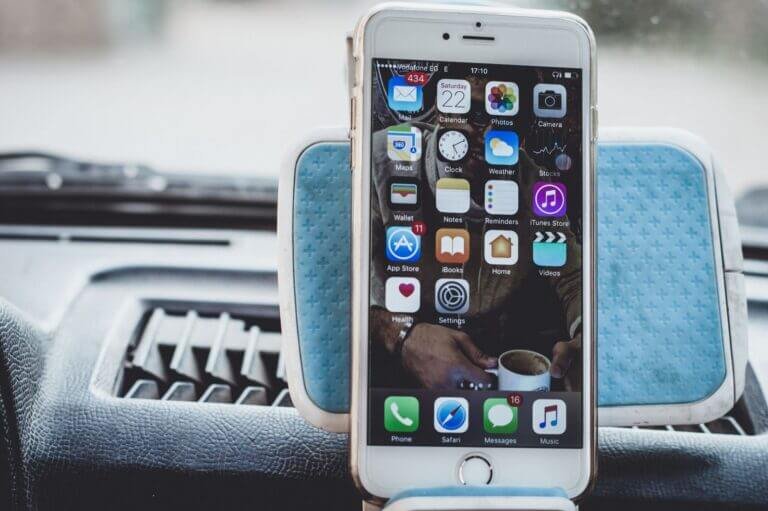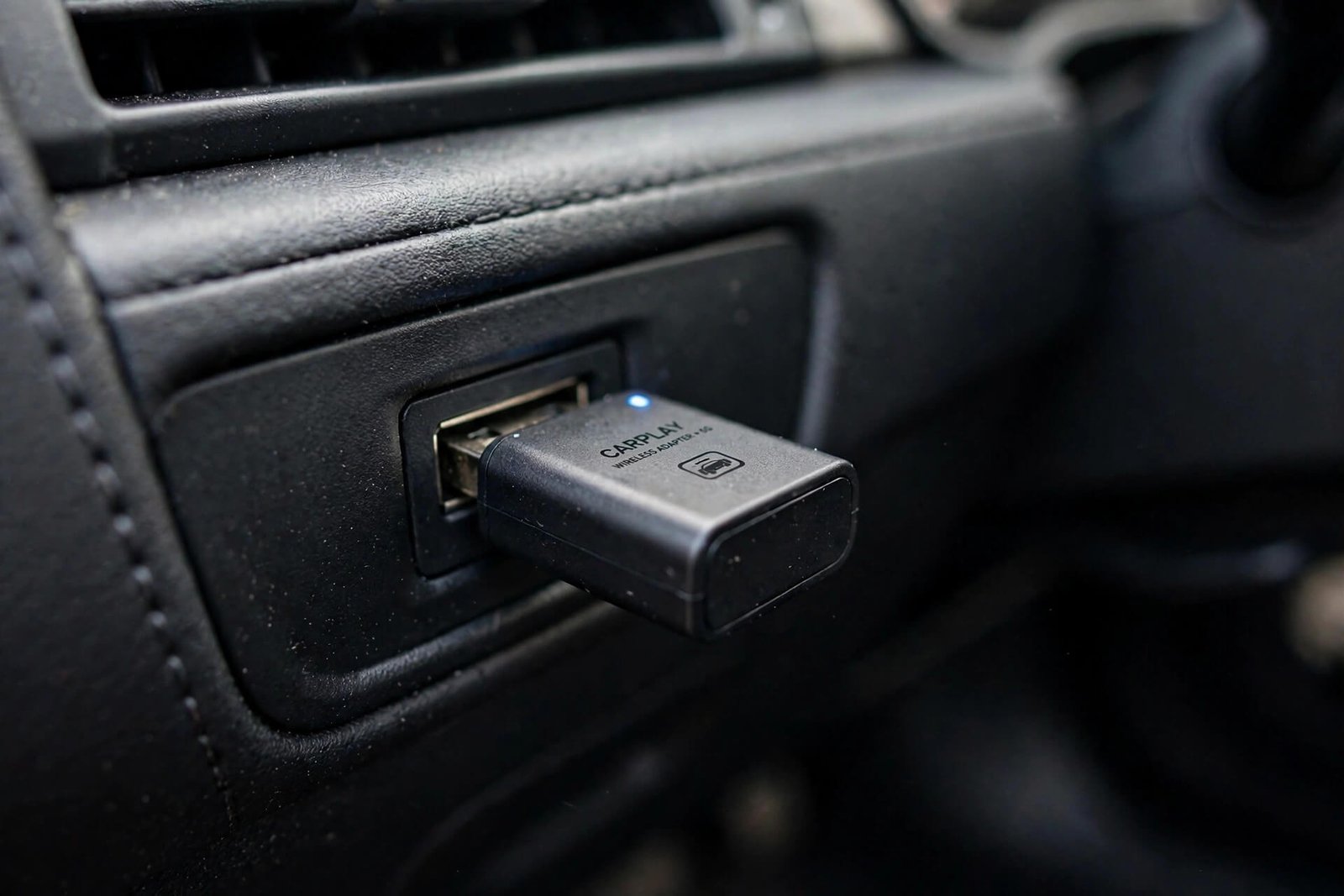
Every drive starts the same way in many cars: you get in, find the cable, plug your phone into the USB port, wait for CarPlay to appear, and then do it all again on the next trip. The car already has a good factory screen, good steering-wheel controls, and a good microphone. It just does not have wireless CarPlay. The best wireless CarPlay dongles for factory screens fix that one gap. They plug into the USB port once and let your phone connect over Bluetooth and Wi-Fi, so you can leave it in your pocket or bag and still see maps, music, and calls on the screen you already own.
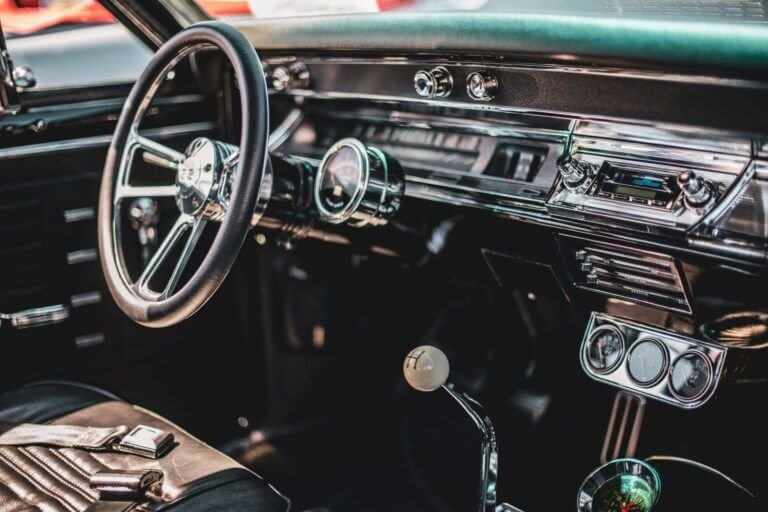
There is one fact to understand before you spend any money. These dongles only convert an existing factory wired CarPlay or wired Android Auto system to wireless. They cannot add CarPlay to a car that never had it, and they cannot turn a basic radio screen into a smart screen. If your car has no wired CarPlay or Android Auto at all, you need a replacement head unit or a portable CarPlay display instead, not a dongle.
In this guide, we compare five dongles that work with factory screens. One is the best overall pick, one suits households where several drivers share a car, one is the most compact, one is the budget choice, and one is for Android-only drivers. We also explain how to confirm your car has wired CarPlay, how to set a dongle up, and what to do when it will not connect.
Best Wireless CarPlay Dongles for Factory Screens at a Glance
Short on time? These five picks cover the main needs of factory-screen drivers. The best wireless CarPlay dongles for factory screens in this list are all small plug-in bridges, not full Android boxes, so they keep your factory touchscreen, steering-wheel buttons, and voice controls working as before. Pick by phone platform first, then by size, then by budget.
| Product | Platforms | Best for | Standout detail |
|---|---|---|---|
| CarlinKit Mini Ultra 3 | CarPlay and Android Auto | Most drivers | Dual-band Wi-Fi, very small body |
| AAWireless TWO+ | CarPlay and Android Auto | Shared cars | Button switches paired phones |
| OTTOCAST Mini Cube 3.0 | CarPlay and Android Auto | Compact fit | Tiny USB-C dongle |
| Carlinkit 5.0 2air | CarPlay and Android Auto | Budget buyers | Dual-band Wi-Fi, OTA updates |
| Motorola MA1 | Android Auto only | Android-only households | Google-licensed bridge technology |
Before you buy, run the wired test. Plug your phone into the car with a good data cable and confirm that CarPlay or Android Auto appears on the factory screen. If it does not, a dongle will not help. Also note which USB port works, because many cars have one data port for CarPlay and other ports that only charge. The dongle must go in the data port, and that is the port you will leave it in.
1. CarlinKit Mini Ultra 3 — Best Overall
CarlinKit Mini Ultra 3 is the best overall pick in this guide, and the reason is simple: it covers both phone platforms in a very small body and does the core job without extra features getting in the way. It is a 2-in-1 adapter, so it converts wired CarPlay to wireless CarPlay for iPhone users and wired Android Auto to wireless Android Auto for Android users. It connects over dual-band Wi-Fi, which helps keep maps and audio stable, and its small size means it sits neatly beside the USB port instead of dangling from a cable. CarPlay Life’s 2026 tests rated the CarlinKit Mini Ultra 3 best overall, which matches its position here as the first choice for most drivers.
- Platforms: Apple CarPlay and Android Auto, 2-in-1
- Connection: Bluetooth for pairing, dual-band 2.4 and 5 GHz Wi-Fi for the link
- Phones: iPhone and Android phones that already work with wired CarPlay or Android Auto
- Size: Very small dongle that fits close to the USB port
Pros: Works with both iPhone and Android; small and discreet; keeps factory touchscreen, steering-wheel, and voice controls; simple plug-and-play setup.
Cons: Needs a car with factory wired CarPlay or Android Auto; does not add video apps or a separate Android system; wireless use does not charge the phone.

- 【New Mini Ultra3 with 2-in-1 Wireless Adapter】 Only for cars with factory built-in wired CarPlay or wired Android Auto, …
- 【Ultra-Compact & Plug & Play】 Tiny size fits discreetly in any car. Just plug into your car’s USB-A or Type-C port—no se…
- 【Dual-Band 5GHz WiFi】Upgraded dual-band WiFi (2.4GHz/5GHz) reduces interference for lag-free streaming, smoother calls, …
2. AAWireless TWO+ — Best for Multi-Device Households
AAWireless TWO+ is the pick when several drivers share one car. It is also a 2-in-1 adapter for both CarPlay and Android Auto, and it connects over Bluetooth and Wi-Fi, just like the other dongles here. What sets it apart is the physical multifunction button on the unit. That button pairs a new phone and switches between phones that are already paired, without digging through the head unit menus or unpairing anyone. In a household where one driver uses an iPhone and another uses an Android phone, that small button removes a daily annoyance. The adapter is made in Europe, works with iPhone X or newer and Android 11 or newer, and has a companion app for firmware updates and connection settings. CarPlay Life’s 2026 testing found the strongest Wi-Fi signal in its group for this model, with good multi-user support and cool operation on long drives.
- Platforms: Apple CarPlay and Android Auto, 2-in-1
- Switching: Physical multifunction button pairs and switches phones
- Phones: iPhone X or newer, Android 11 or newer
- App: Companion app for firmware updates and settings
Pros: Easy phone switching for shared cars; works with both platforms; companion app for updates; compact, made-in-Europe design.
Cons: Costs more than the budget picks; still needs factory wired CarPlay or Android Auto; no video streaming or standalone apps.

- Compatible with wired-only Android Auto & Apple CarPlay systems. Requires Android 11+ or iPhone X and newer.
- Multifunctional button for easy phone pairing and switching
- Connects unlimited phones — perfect for road trips
3. OTTOCAST Mini Cube 3.0 — Best Compact
OTTOCAST Mini Cube 3.0 is the compact pick. It is a small USB-C dongle that plugs directly into the CarPlay USB port, with no cable hanging down and very little to catch on a cup, a bag, or a passenger’s knee. It is a 2-in-1 adapter for CarPlay and Android Auto, and its listing describes fast automatic reconnection when you start the car. Because this is a 2026 model with no independent published testing we could find, treat its speed claims as manufacturer claims and check the listing for your exact car before you buy. For drivers who want the tidiest possible install, the best wireless CarPlay dongles for factory screens in this compact size are the main attraction.
- Platforms: Apple CarPlay and Android Auto, 2-in-1
- Design: Small USB-C dongle, plugs in directly
- Reconnect: Claimed fast auto-reconnect on start-up
- Controls: Factory touchscreen, steering-wheel, and voice controls stay in use
Pros: Very small and tidy; no dangling cable; works with both platforms; simple setup.
Cons: Speed claims are from the manufacturer, not independent testing; small size can make it easy to lose if removed; still needs factory wired CarPlay or Android Auto.

- 【So Tiny, You’ll Double-Take】“Wait, that’s it?” Yep, this Ottocast Mini Cube 3.0 adapter is literally the size of your t…
- 【Plug It In, Forget About It】“Do I need a manual the size of a phone book?” Nah. First-time setup takes seconds. After t…
- 【Two Phones? No Problem】“Can it handle my work and personal phone?” Sure thing. This 2-in-1 wireless CarPlay Android Aut…
4. Carlinkit 5.0 2air — Best Budget
Carlinkit 5.0 2air is the budget pick, and it covers both platforms at a lower tier than the adapters above. It is a 2-in-1 dongle for CarPlay and Android Auto, with dual-band Wi-Fi, plug-and-play setup, and over-the-air updates from its listing. It keeps the factory touchscreen, steering-wheel controls, and voice controls working, because it is a bridge, not a replacement screen. If your main goal is to stop plugging in a cable every morning, the best wireless CarPlay dongles for factory screens at this budget tier are the sensible place to start.
- Platforms: Apple CarPlay and Android Auto, 2-in-1
- Connection: Dual-band Wi-Fi, 2.4 and 5 GHz
- Updates: Over-the-air firmware updates per its listing
- Phones: iPhone 6 or newer and Android 11 or newer, per its listing
Pros: Lowest-cost 2-in-1 pick here; dual-band Wi-Fi; firmware updates; keeps factory controls.
Cons: No physical phone-switching button; plain design; still needs factory wired CarPlay or Android Auto; wireless use does not charge the phone.

- Wireless Freedom: Effortlessly upgrade factory Wired CarPlay/Android Auto to wireless. Stream music, podcasts, and navig…
- Compatibility Note: Only works within the same system (no cross-conversion). Not compatible with BMW/Tesla. No video str…
- Reliable & Future-Proof: -20°C to 60°C (-4°F to 140°F) operating range. Our Carlinkit 5.0 wireless CarPlay adapter suppo…
5. Motorola MA1 — Best for Android Auto Only
Motorola MA1 is different from the other four picks: it is for Android Auto only, and it does not support Apple CarPlay at all. If every phone in your household is an Android phone, that limitation does not matter, and the MA1 has one clear advantage. It is described as the only adapter using Google-licensed bridge technology, and it uses 5 GHz Wi-Fi for the wireless Android Auto link. It plugs into the USB-A port that already runs wired Android Auto, and it comes with a gel pad to keep it in place. It needs an Android phone running Android 11 or newer with 5 GHz Wi-Fi support and the latest Android Auto app.
- Platforms: Android Auto only; no Apple CarPlay support
- Technology: Google-licensed bridge technology, 5 GHz Wi-Fi
- Connection: USB-A plug-in, with a gel pad in the box
- Phones: Android 11 or newer with 5 GHz Wi-Fi support
Pros: Simple, focused Android Auto adapter; Google-licensed bridge technology; easy plug-in setup; gel pad keeps it in place.
Cons: No CarPlay support at all; Android only; some owners report reliability problems over time; wireless use does not charge the phone.

- Wireless Car Adapter for Android Auto – The MA1 is a more simple and safe way to access your Android phone while driving…
- Easy to Use – Use the plug-in USB adapter with an Android Auto-enabled car. When red light flashes, press and hold adapt…
- Fast Transmission – With 5 GHz WiFi for Android Auto Wireless, you can easily display all your favorite maps, media, and…
How to Choose the Best Wireless CarPlay Dongles for Factory Screens
Choosing among the best wireless CarPlay dongles for factory screens starts with your car, not with the dongle. A good adapter in the wrong car is useless, while a basic adapter in the right car works every morning.
Confirm factory wired CarPlay or Android Auto first
Plug your phone in with a known-good data cable and confirm that CarPlay or Android Auto appears on the factory screen. Check your car manual or the manufacturer’s website if you are unsure, and note the exact trim and model year, because compatibility can vary by trim. If the wired system works, a dongle can make it wireless. If it does not, no dongle in this guide will help, and you should look at a replacement head unit or a portable display instead.
Check your phone version and the car brand
Most of the best wireless CarPlay dongles for factory screens need an iPhone X or newer, or an Android phone running Android 11 or newer, with 5 GHz Wi-Fi support. Older phones may pair but drop the connection, so update your phone software before you blame the dongle. Also check the listing’s brand notes: most of these adapters do not support BMW or Tesla systems, and some exclude specific head units or model years. If your car is on an exclusion list, do not buy hoping it will work anyway.
Check the USB port, cable, and power
Find the USB port that runs wired CarPlay and use that one only. Charge-only ports will power a dongle but will never show CarPlay on the screen, which is the most common setup mistake. If your car has a USB-C port, check whether the dongle needs a USB-A adapter or a short cable, and use the cable that comes with the dongle or a short, good-quality data cable. A long, cheap cable between the dongle and the port can cause dropouts. Once the dongle is working, leave it plugged in; removing it every trip defeats the purpose.
Decide what extra features you actually need
A simple bridge dongle only removes the cable. It does not add Netflix, YouTube, or a separate Android system, and it does not charge your phone. If you want video apps while parked, you need an AI box, which is a different product and costs more. For most drivers, the useful extras are a phone-switching button for a shared car, over-the-air firmware updates, and a small body that fits the console. Pick the smallest set of features that solves your problem, because every extra feature is another thing that can go wrong.
How to Set Up a Wireless CarPlay Dongle
Setup is the same for most of the best wireless CarPlay dongles for factory screens, and it takes about five minutes. Start the car, plug the dongle into the CarPlay USB port, and wait for the car to recognise it as a wired device. Then turn on Bluetooth and Wi-Fi on your phone, look for the dongle name in the Bluetooth list, and pair it. The phone and the dongle will finish the connection over Wi-Fi, and CarPlay or Android Auto should appear on the factory screen. The next time you start the car, the phone should reconnect on its own within a few seconds, without you touching anything.
- Use the CarPlay data port, not a charge-only port.
- Pair the dongle once, then let it auto-reconnect on later trips.
- Update the dongle firmware through its app or web page before judging it.
- Keep your phone software up to date, because CarPlay changes with iOS and Android updates.
If the first connection fails, unplug the dongle, wait ten seconds, and plug it back in. Then forget the dongle in your phone’s Bluetooth settings and pair it again from scratch. Check that no other phone in the car is trying to connect at the same time, because a second phone can steal the connection. If it still fails, check the listing’s compatibility notes for your exact car and head unit, and try a different short USB cable. For more ideas on keeping your phone charged while you drive wirelessly, see our guide to the best wireless car charger mount, and for an iPhone-specific mount, our best MagSafe car charger mount for iPhone roundup.
Common Mistakes to Avoid
The most common mistake when shopping for the best wireless CarPlay dongles for factory screens is buying one for a car that never had wired CarPlay. The second mistake is plugging the dongle into a charge-only USB port and assuming the dongle is faulty. The third is skipping firmware updates: many connection problems are fixed by an update, not by a replacement. The fourth is expecting a simple bridge dongle to stream video or run apps on its own; it cannot, because it only passes your phone’s CarPlay or Android Auto screen to the car. The fifth is forgetting about charging. Wireless CarPlay does not charge your phone, so on a long drive you still need a charger or a charging mount. Our best wireless Bluetooth speaker for car guide is a useful next read if your car also lacks good audio, and our best car accessories roundup covers the wider upgrades worth considering.
Frequently Asked Questions (FAQ)
Can a wireless dongle add CarPlay to a car that never had it?
No. A dongle only converts an existing factory wired CarPlay or Android Auto system to wireless. If your car never had CarPlay, you need a replacement head unit or a portable CarPlay display instead.
Do these dongles work with BMW or Tesla cars?
Most do not. Check the listing’s compatibility notes for your exact make, model, and year before you buy, because BMW and Tesla systems are commonly excluded.
Which phones work with a wireless CarPlay dongle?
Most adapters need an iPhone X or newer for CarPlay, or an Android phone running Android 11 or newer for Android Auto. Update your phone software first if the connection is unstable.
Does wireless CarPlay charge my phone?
No. A wireless connection does not charge the phone, so on long drives you still need a cable, a charging mount, or a wireless charging pad. A best magnetic car phone holder can keep the phone in view while it charges.
Will there be lag in maps, music, or calls?
A good dongle adds very little delay, and most drivers do not notice it in maps or music. Calls can have a small delay on some head units, and a weak Wi-Fi link can cause dropouts, so keep the phone close to the dongle.
Can two phones share one dongle?
Yes, most of the best wireless CarPlay dongles for factory screens can pair with more than one phone, but only one phone connects at a time. The AAWireless TWO+ makes switching easier with its physical button; other dongles need you to disconnect one phone first.
What should I do if the dongle will not connect?
First, confirm you are in the CarPlay data port, not a charge-only port. Then unplug the dongle, forget it in Bluetooth settings, pair it again, and update its firmware. If it still fails, check the listing for your exact car and try a different short cable.
Final Verdict
For most drivers looking for the best wireless CarPlay dongles for factory screens, the CarlinKit Mini Ultra 3 is the safest first choice because it covers both platforms, stays small, and was rated best overall in CarPlay Life’s 2026 tests. If several drivers share your car, the AAWireless TWO+ is worth the extra cost for its phone-switching button. If you want the tidiest install, the OTTOCAST Mini Cube 3.0 is the most compact dongle here. If budget matters most, the Carlinkit 5.0 2air gives you both platforms and firmware updates for less. And if every phone in your household is Android, the Motorola MA1 is the focused Android-only option. The Road Gear Lab roundup at roadgearlab.com and the News Hub Central roundup at newshubcentral.com are useful cross-checks for the compatibility warning in this guide.
As an Amazon Associate, Car Accessories Reviews earns from qualifying purchases made through affiliate links on this page, at no extra cost to you. Prices and availability can change, so please check the Amazon listing for the latest details before you buy.